Multistart
Multi-launch functionality allows you to open a profile even if it is already running on another device or being used by a team member.
To enable this feature:
Go to Settings and toggle the corresponding option to the active state.

Multistart profile
To launch a profile that is already open by another user:

- Click "Start".
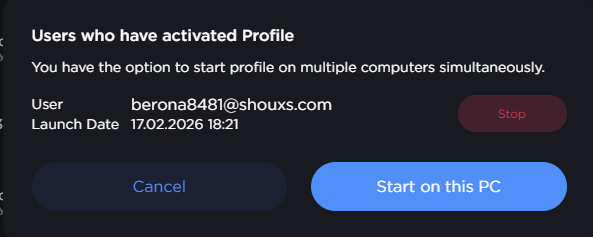
- Confirm the action by clicking "Launch on this PC".
2.1 To cancel the launch, click "Cancel".
2.2 If you need to remotely stop the profile on the other user's device, click the corresponding button next to their email address.